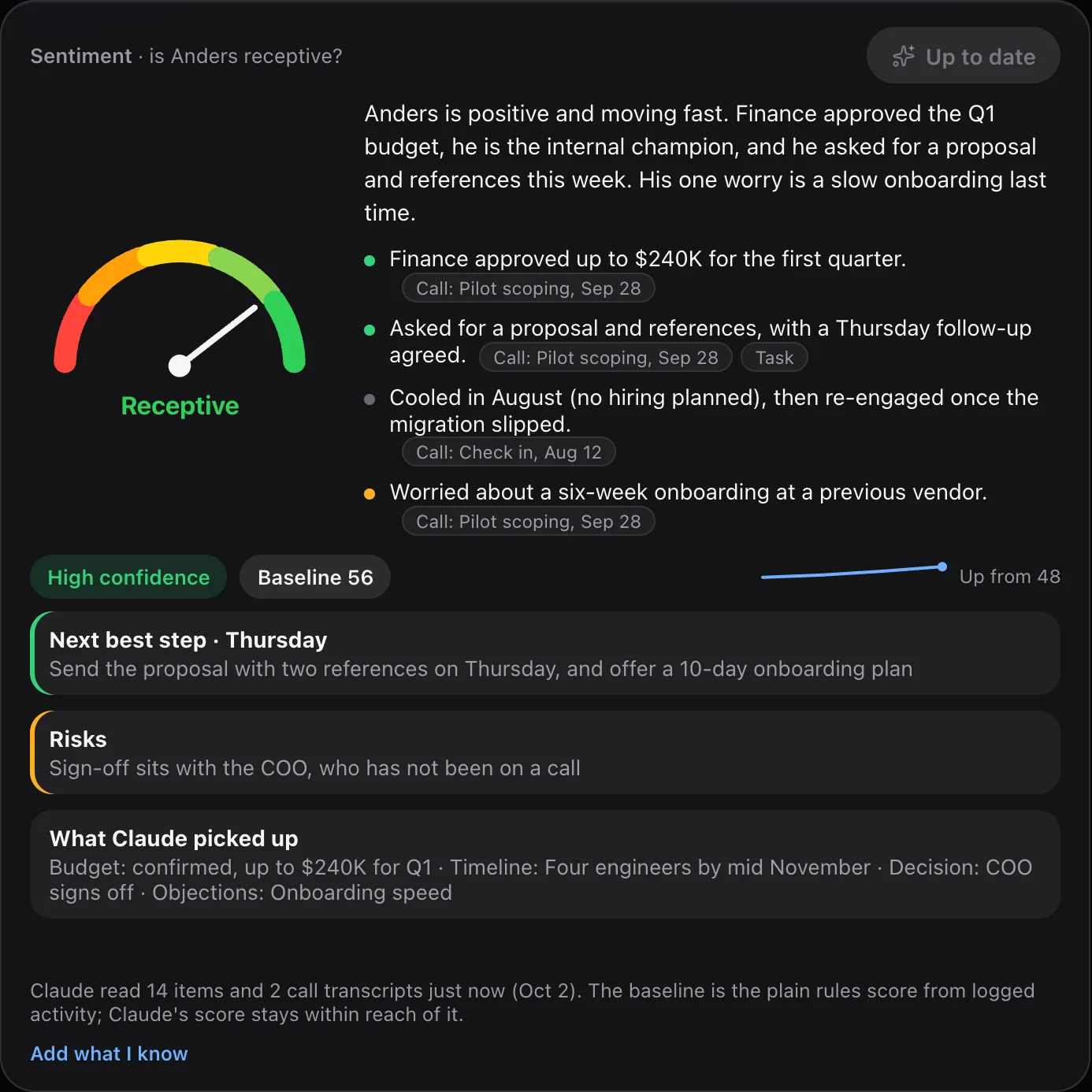
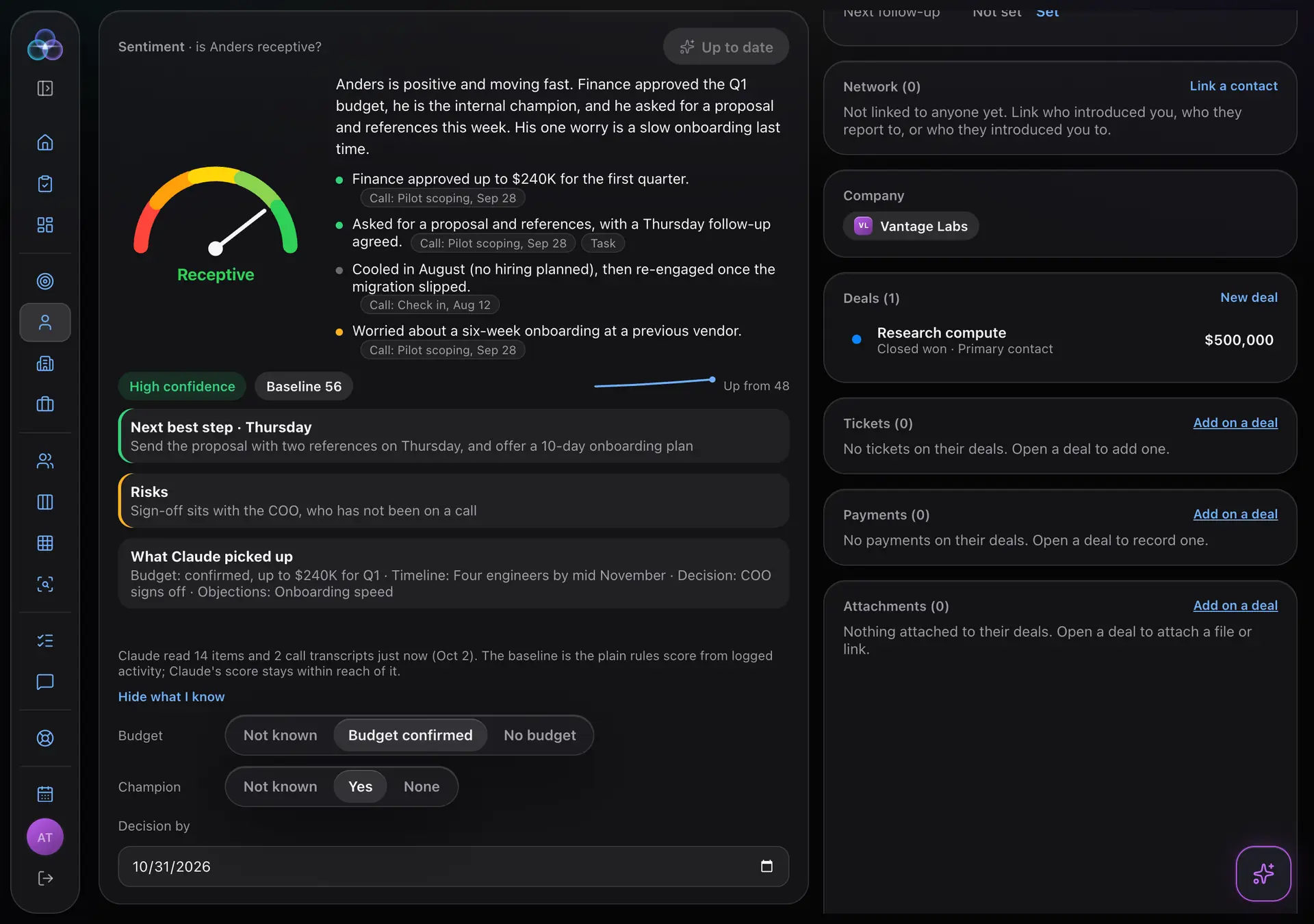
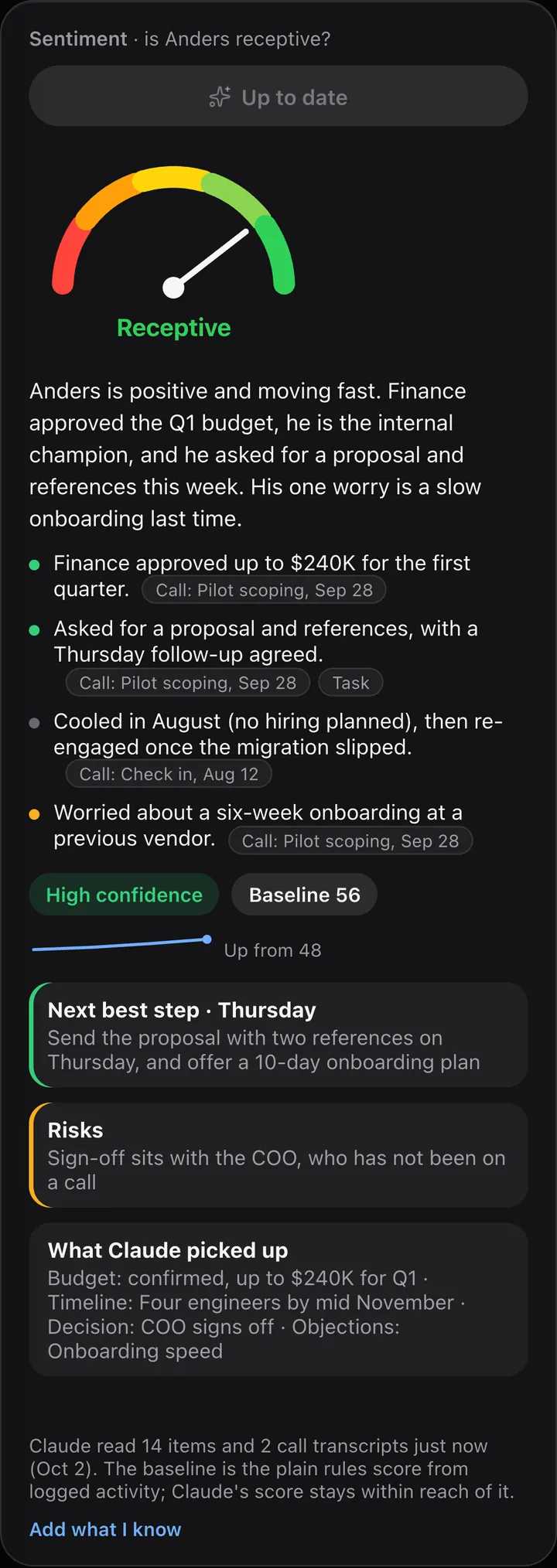
The Sentiment card on a contact, after Analyze with Claude. Sample data.
How it works
Three steps, one question.
Every contact has a Sentiment card that answers one question: is this person receptive?
1
Press the button
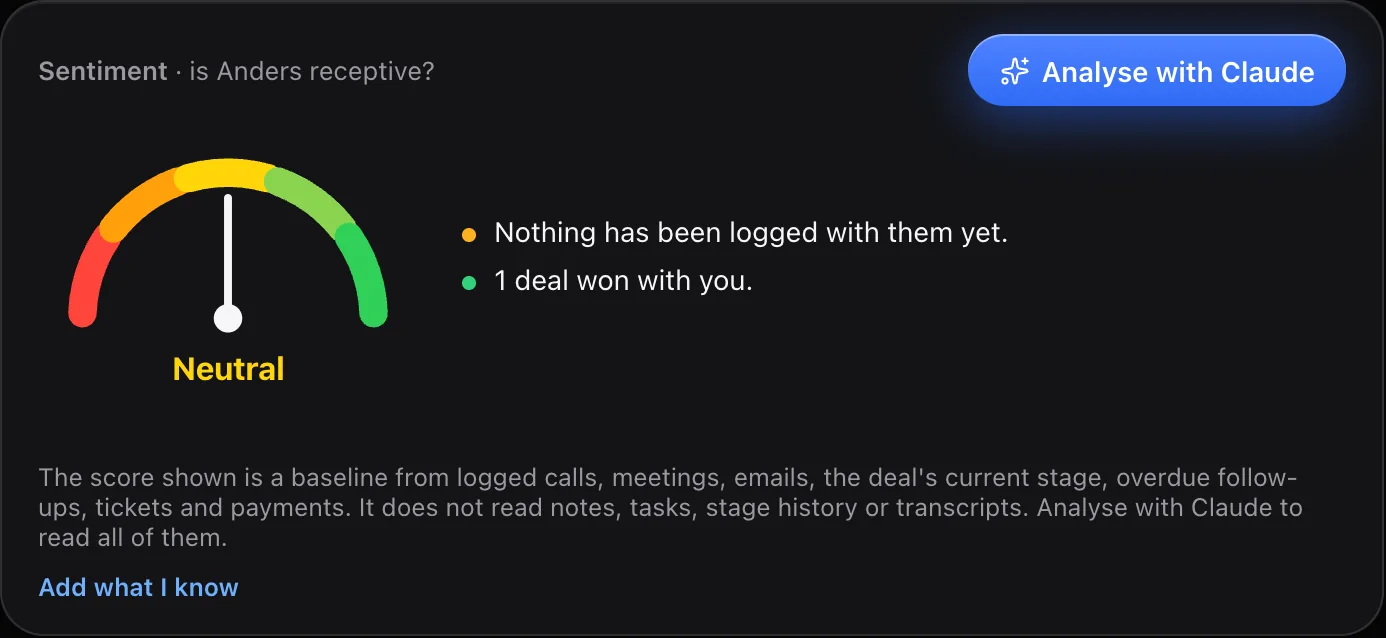
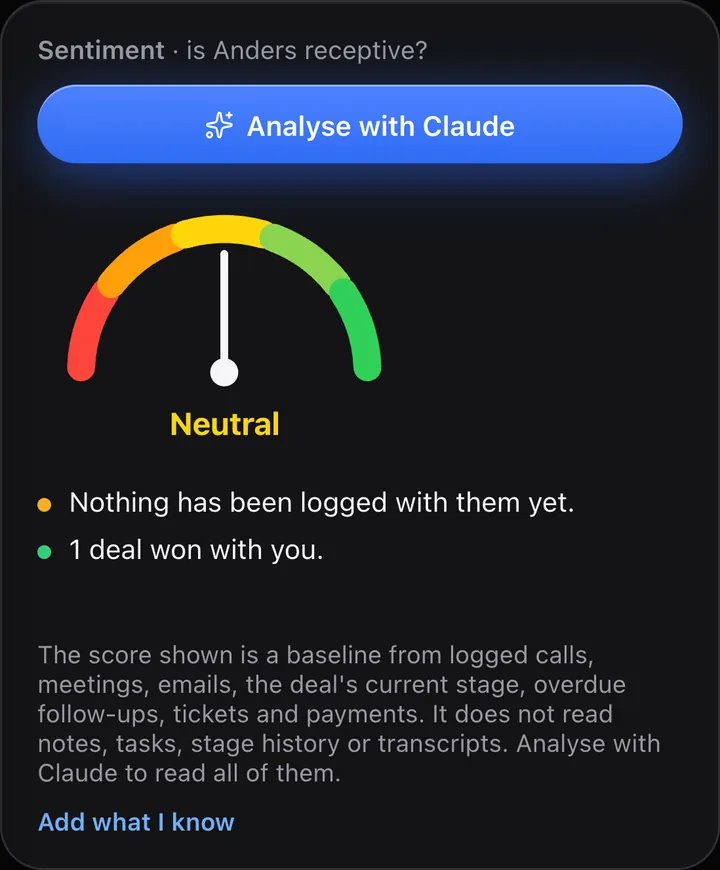
Without AI, the card shows a plain baseline worked out from logged calls, meetings, emails, deal stage, overdue follow-ups, tickets and payments. Press Analyze with Claude to go further.
2
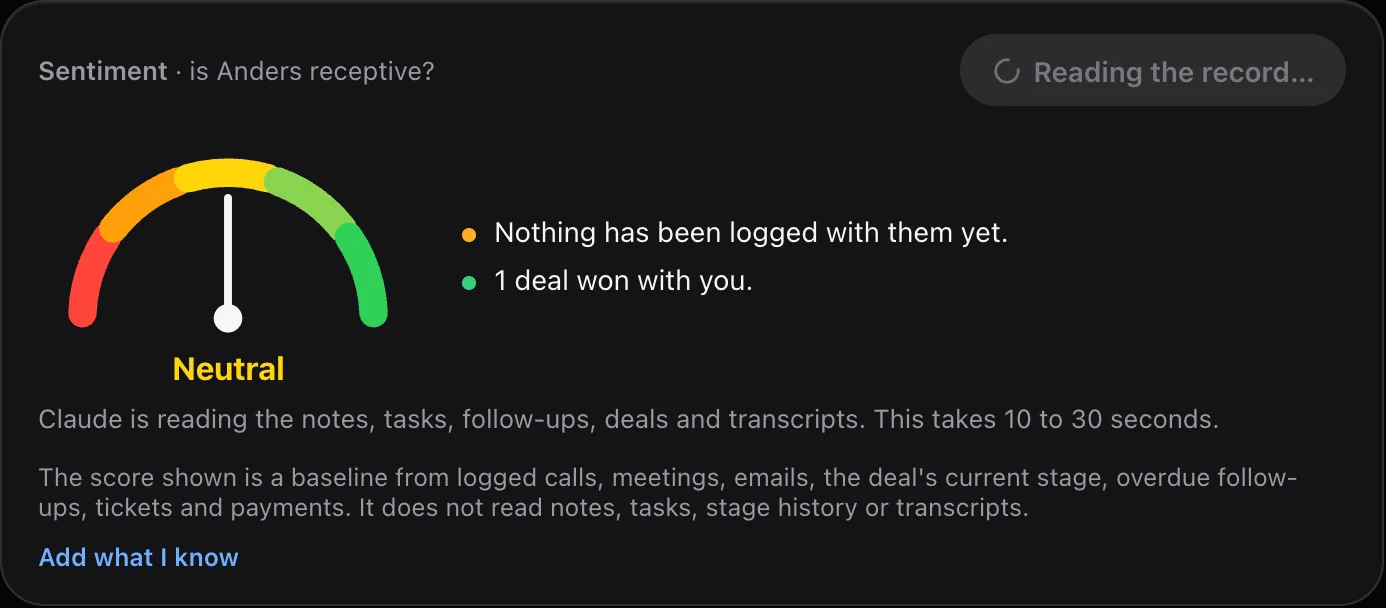
Claude reads the record
Notes, tasks, follow-ups, the deal, the logged history and any call transcripts you added.
3
A scored read, with sources
A score from 0 to 100, a level (Cold, Cooling, Neutral, Interested or Receptive), a confidence level, a short summary, the reasons, a next best step and the risks.
What you get
A second opinion with receipts.
Reasons you can check
Every reason points to its source.
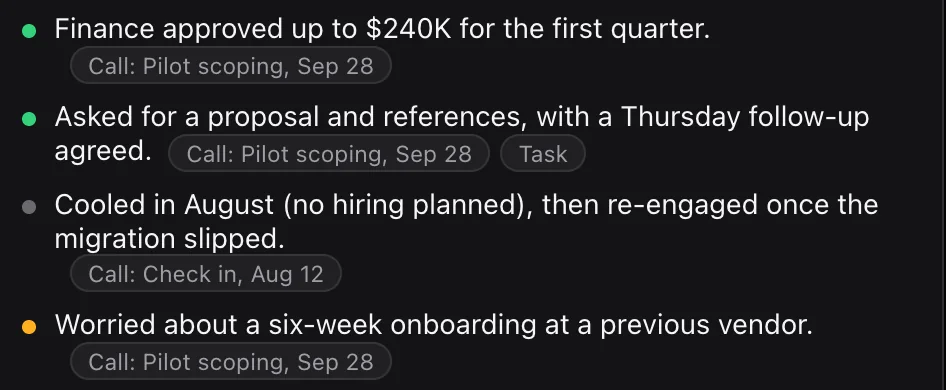
Small chips such as “Call: Pilot scoping, Sep 28” jump to the exact note, task or transcript on the page, so you can check it. A reason with no real source is dropped.
Source chips on every reason.
One click to the note, task or transcript behind it.
No source, no reason.
Bring your calls
Add the calls you already record.
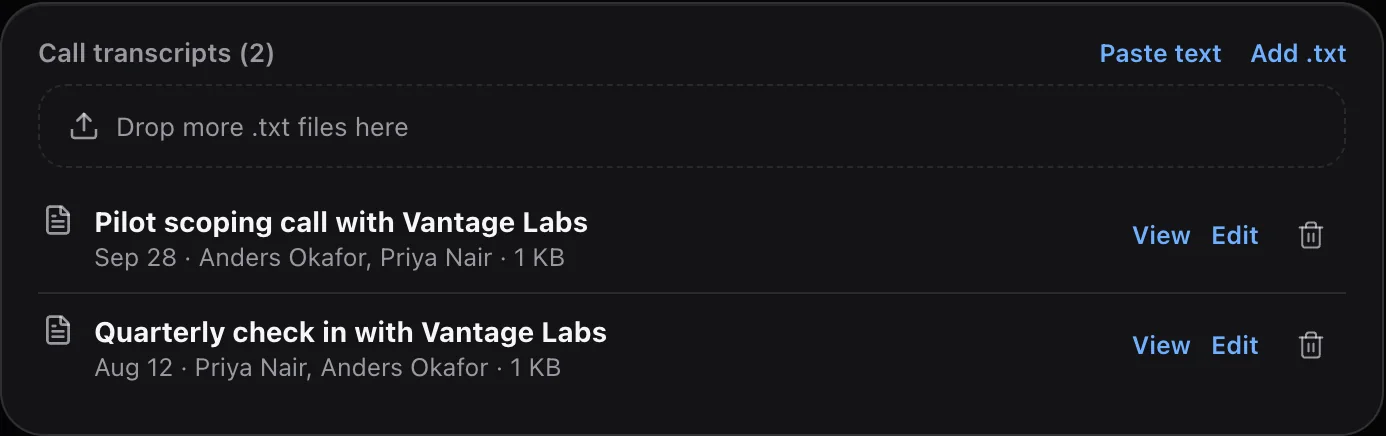
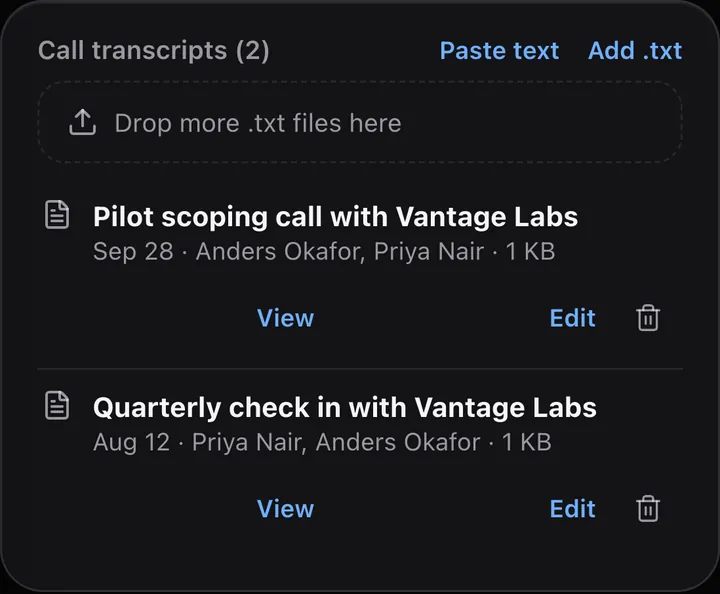
Drop in Otter .txt exports, or paste text. CloudTeams reads the title, date and speakers, refuses duplicates, and warns you if a transcript seems to belong to a different contact.
Upload .txt files or paste text.
Duplicates are refused.
A wrong-contact warning, with “Add anyway” as your choice.
Add what only you know
Tell it what the record cannot.
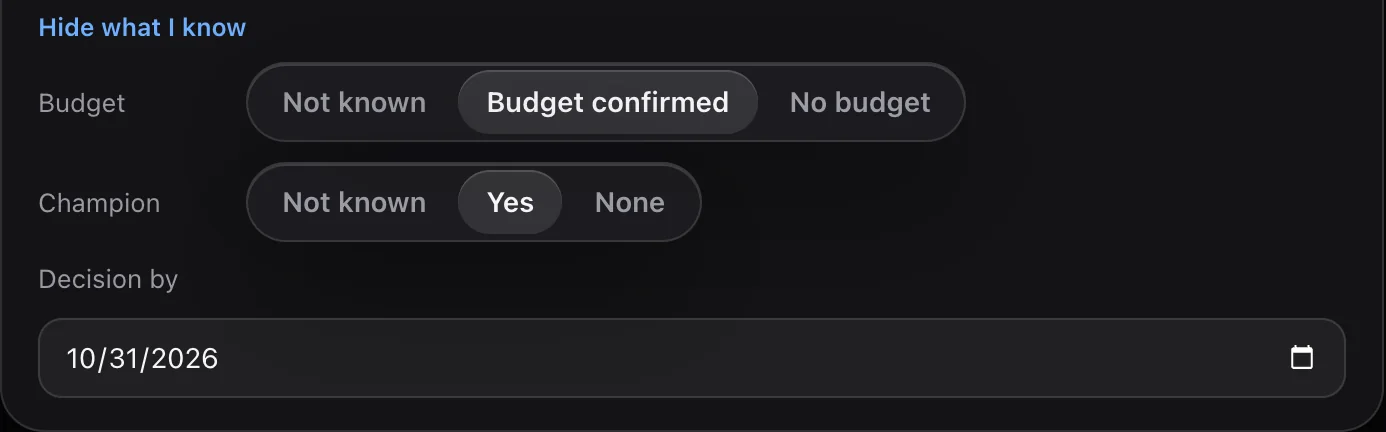
Record whether budget is confirmed, who the champion is and the decision date. Claude takes it into account.
Budget: not known, confirmed or none.
Champion: not known, yes or none.
A decision date.
Over time
See the trend, not just the number.
Run it again after new activity and the card shows a trend line across your analyses. It tells you when there is new activity since the last run, and it does not re-run when nothing has changed, so you do not pay for a repeat.
The card on a contact page, beside the company, deals and network cards. Sample data.
On the go
Works on your phone. Check it before the call.
Before: the plain baseline
After: a scored read. Tap to see all of it.
Your call transcripts
Trust
How it stays honest.
A second opinion with receipts. Your judgment still decides.
Sources for every reason.A reason with no real source is dropped.
The score stays close to the plain baseline.Claude’s score is held near the rules-based number.
Instructions hidden in a transcript are ignored.Text inside a transcript that tries to give Claude instructions does nothing.
Nothing re-runs when nothing has changed.It says when there is new activity since the last run.
Privacy. AI features send the relevant records, and any call transcripts you added, to Anthropic or OpenAI, using your own API key, and only read data. An admin connects the key. Analyze with Claude is optional, and the plain baseline works without it.
The notes, tasks and follow-ups on the contact, the deal, the logged history, and any call transcripts you add. It reads what is recorded in CloudTeams plus those transcripts.
Does it read my email or connect to Otter?
No. It does not read your inbox and it does not connect to Otter. You add transcripts yourself by uploading Otter .txt exports or pasting text.
Do I need my own API key?
Yes. The feature needs your own API key, from Anthropic or OpenAI, connected by an admin in Admin. AI features send the relevant records, and any call transcripts you added, to your provider using that key, and only read data. The plain baseline score works without it.
What if a transcript belongs to a different contact?
CloudTeams warns you when a transcript seems to belong to someone else. Adding it anyway is your choice.
Is the score a prediction?
No. It is a read of how receptive a contact looks from what is recorded, with reasons you can check. Treat it as a second opinion. Your judgment still decides.
See it on your own data.
Book a time and we will show you Analyze with Claude on your own kind of work.