CloudTeams › Features › Contractor portal

Contractor portal

Give contractors their own login.

Each contractor signs in separately and sees their hours, their pay and their paperwork status in one place. They see only their own data.

No per-seat enterprise pricing.

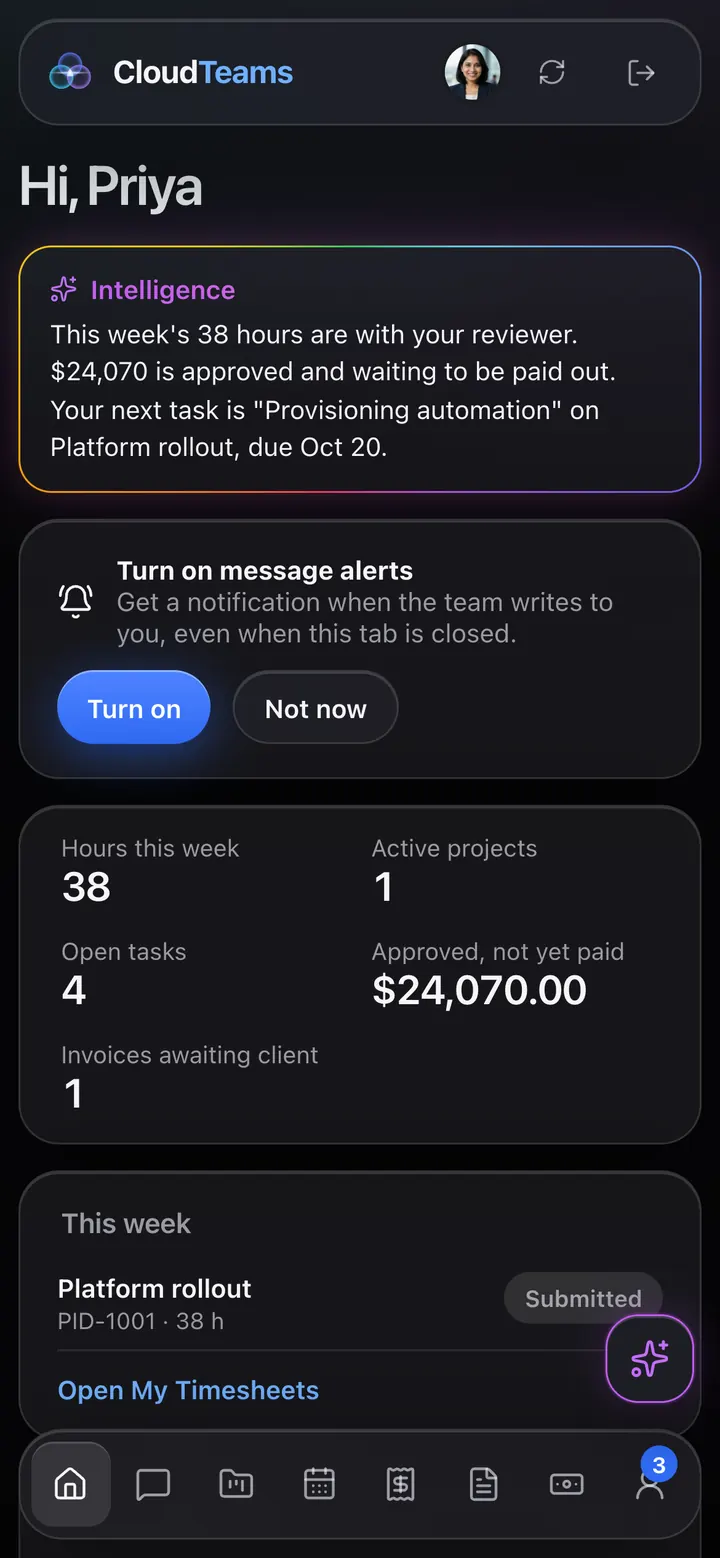
CloudTeams contractor portal home for a contractor named Priya, showing hours this week, active projects, open tasks, approved pay and her open tasks, with Messages, My Projects, Timesheets, Expenses, Invoices, Payouts and Profile in the sidebar
A contractor's home screen. Sample data.

In short

The CloudTeams contractor portal is a separate login for each contractor. Contractors sign in with Google using the email on their Talent record. It shows their assignment and tasks, lets them message you and log hours and expenses, and shows their projects, invoices, payouts and a checklist of what paperwork is on file. Contractors see only their own data.

Separate loginOne for each contractor, tied to their email
Their data onlyNothing from other people or other clients
AlertsMessages with desktop and phone push notifications

Works with Deliver, Staff, Security and control. Last updated October 2, 2026.

The problem

What gets in the way today.

Contractors ask where their money is

You answer the same question by email every week.

Hours arrive in odd formats

You re-key what contractors send you.

Paperwork status is a mystery

Nobody can see what is on file and what is missing.

What you get

A closer look at Contractor portal.

My Projects

Their assignment and tasks, front and center.

A contractor opens the portal and sees the project they are on, and the tasks that are theirs.

  • My Projects: the projects they are on, with a timeline.
  • Their assignment and open tasks, on their Home screen.
  • Messages with desktop and phone push notifications.
Contractor portal My Projects page with a Gantt timeline of the project's tasks and milestones
Timesheets

Log the week. Submit it for approval.

Contractors log hours against a project milestone and submit the week when it is done.

  • Timesheets: log hours and submit them.
  • See the week's total and the weekly cap.
  • Take a submitted week back to edit it, until it is approved.
  • Expenses: submit what they spent, with the receipt.
Contractor portal My Timesheets page for a week, showing a submitted timesheet with 38 hours against a 40 hour weekly limit
Pay

Know what they are owed and what they have been paid.

Invoices and payouts in one place, so contractors stop asking where their money is.

  • Payouts: waiting for approval, approved and not yet paid, on its way, and paid.
  • Invoices that include their hours.
  • A year-to-date earnings view and a downloadable statement.
Contractor portal My Payouts page showing amounts waiting for approval, approved and not yet paid, on its way, and paid, with a yearly earnings chart
Paperwork

A checklist of what is on file.

Contractors can see what paperwork is complete and what is still missing.

  • A profile with a paperwork checklist: NDA, contractor agreement, tax form and insurance certificate.
  • Skills, assignments and their rate at a glance.
  • They see only their own data.
Contractor portal profile and paperwork page with a paperwork checklist showing which documents are on file or missing, plus details, skills and assignments

How it works

Three steps, no fuss.

  1. 1

    Add the contractor

    Create the person in Staff with their email. There is no invite email: access follows the email on their record.

  2. 2

    They sign in

    Each contractor signs in with Google to a separate portal.

  3. 3

    They log and you approve

    Hours and expenses come in, and you approve or send them back.

FAQ

Questions, answered.

What is the contractor portal?

A separate login for each contractor, with Home, Messages, My Projects, Timesheets, Expenses, Invoices, Payouts and a profile with a paperwork checklist.

How do contractors get access?

They sign in with Google using the email on their Talent record. Contractors don't get a staff account, and there is no invite email.

What can contractors see?

Only their own data. They do not see other contractors, clients or your pipeline.

Can contractors log hours?

Yes. They log hours in Timesheets and submit them for your approval.

Is there a native contractor app?

CloudTeams can be installed as an app from Safari today. Native mobile apps are coming soon.

See it on your own data.

Request early access and try Contractor portal with your own work.

No per-seat enterprise pricing.

You are on the list. We will be in touch shortly.

Request early access