CloudTeams › Features › Website forms

Forms

Collect inquiries on your website, and let a person decide what gets in.

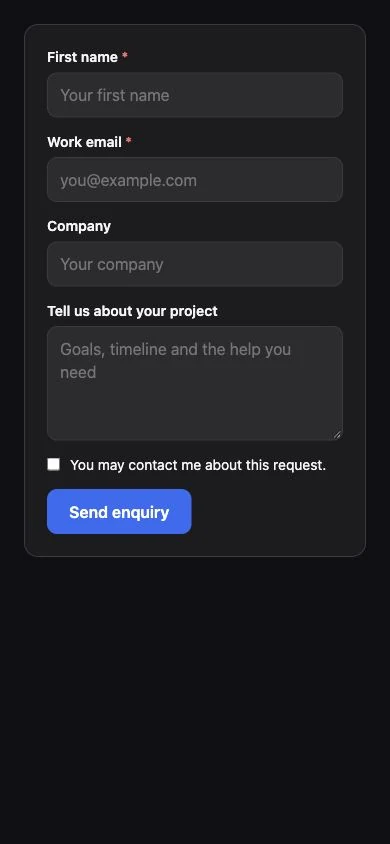
Build a form once, share a link or paste one line into your site, and review every submission before it touches your contacts.

No per-seat enterprise pricing.

Forms in Sell

  • A form builder
  • Hosted page, iframe or one-line embed
  • Auto-reply to the person
  • Notification to your team
  • Submissions wait for review
  • Approve, or dismiss as spam
  • Spam protection built in
  • Submissions chart

In short

CloudTeams Forms is a web form builder inside Sell. Each form has a hosted page, an iframe embed and a one-line embed script, a chart of submissions, an auto-reply to the person who filled it in, and a notification to your team. Spam protection uses a hidden field, timing checks, rate limits and optional Cloudflare Turnstile. Submissions wait for review: nothing becomes a contact or a lead until a person approves it, or dismisses it as spam.

Form builderHosted page, iframe embed or one-line script
Review firstNothing becomes a contact or lead until a person approves
Spam protectionHidden field, timing, rate limits, optional Turnstile

Works with Sell, Meetings and booking pages, Security and control. Last updated October 6, 2026.

The problem

What gets in the way today.

Website inquiries land in an inbox

Someone has to copy each one into the CRM, and some get lost.

Spam fills the CRM

Junk submissions turn into junk contacts.

The person hears nothing

They fill in a form and wait, with no confirmation.

What you get

A closer look at Website forms.

Build and share

One form, three ways to publish it.

Build the form in Sell, then pick how it reaches people.

  • A hosted page with its own link you can share.
  • An iframe embed for any page.
  • A one-line embed script for your website.
  • A chart of submissions over time.

Ways to publish

  • Hosted page
  • Iframe embed
  • One-line embed script
Review

Submissions wait for a person.

A form can bring in anything, so nothing is saved to your contacts automatically.

  • Every submission waits for review.
  • Approve it and it becomes a contact or lead. Dismiss it as spam and it does not.
  • Nothing becomes a contact or a lead until a person approves it.

Each submission

  • Waits for review
  • Approve it
  • Or dismiss it as spam
  • No contact or lead until approved
Replies

The person hears back, and so does your team.

Both emails go out when the form is submitted.

  • An auto-reply to the person who filled in the form.
  • A notification to your team.

On submit

  • Auto-reply to the person
  • Notification to the team
Protection

Spam stays out of the queue.

Public forms attract bots, so each one is guarded.

  • A hidden field that people never see and bots fill in.
  • A minimum fill time, so instant submissions are caught.
  • Rate limits.
  • Optional Cloudflare Turnstile, if you want a stronger check.

Spam protection

  • Hidden field
  • Timing check
  • Rate limits
  • Optional Cloudflare Turnstile

How it works

Three steps, no fuss.

  1. 1

    Build the form

    Add your fields in Sell and choose the auto-reply and the team notification.

  2. 2

    Publish it

    Share the hosted page, or embed it with an iframe or one script line.

  3. 3

    Review submissions

    Approve the good ones, which become contacts or leads, and dismiss spam.

FAQ

Questions, answered.

What are CloudTeams Forms?

A web form builder in Sell. Each form has a hosted page, an iframe embed and a one-line embed script.

Do submissions go straight into my contacts?

No. Submissions wait for review. Nothing becomes a contact or a lead until a person approves it, or dismisses it as spam.

How do I put a form on my website?

Embed it with an iframe or the one-line embed script, or link to the hosted page.

Does the person get a confirmation?

Yes. Each form can send an auto-reply to the person, and a notification to your team.

How is spam handled?

With a hidden field, a minimum fill time and rate limits, plus optional Cloudflare Turnstile. You also review every submission before it is saved.

Can I see how a form is doing?

Yes. Each form has a chart of submissions.

See it on your own data.

Book a time and we will show you Website forms on your own kind of work.

Request early access